
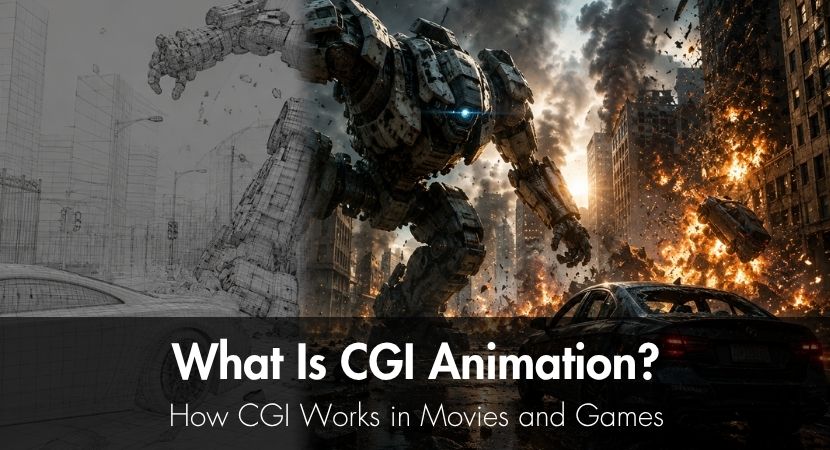
CGI, or computer-generated imagery, is any visual content created with computer software, from still images and digital effects to fully animated 2D or 3D scenes. It has dominated modern film and game production for a long time because it simply makes physically challenging or even impossible scenes doable. CGI can make many productions more efficient by reducing repetitive manual work and allowing assets to be reused.
After reading this guide, you'll know what CGI is, how it's made, the software professionals use, how rendering works, what makes CGI look realistic, and why some CGI falls short.
What Is CGI And What Does It Mean?
CGI, or computer-generated imagery, is any visual content created with computer software. It can include still images, digital environments, effects, characters, and fully animated sequences. CGI can be 2D or 3D, and it is often used as part of VFX, or visual effects, in film, games, advertising, architecture, medicine, and other fields.
For a detailed comparison of the terms CG and CGI, see our guide to CG and CGI meaning.
How Is CGI Animation Different From Traditional Animation?
With CGI, you’re creating moving images with the use of computer software, while traditional animation involves hand-drawn frames, mostly up to 24 drawings per second of animation.
CGI makes this process faster and more accurate by letting computer software calculate in-between frames, most of the time leaving only keyframe and rig creation work to the animator.
Traditional animation, by comparison, is generally more time-consuming and labor-intensive, making CGI the more practical choice for creating realistic scenes with complex camera movements. Because the scene exists in a 3D space, artists can make changes such as:
- Camera repositioning
- Relighting
- Angle changes
However, traditional animation still makes sense in certain scenarios, particularly when a handcrafted artistic style or expressive, stylized movement is more important than realism.
To give you an idea of the difference in production efficiency between traditional animation and CGI, compare Toy Story (1995), the first fully CGI-animated feature film, with The Lion King (1994), one of the most iconic hand-drawn animated films.
Toy Story was made by a crew of 110 people, of whom only 27 were animators, on a $30 million budget. The Lion King required a staff of around 800 and a budget of $45 million. Although many factors influence a film's production cost and team size, this comparison shows how CGI can reduce the amount of manual work required to produce complex animated scenes.
What Is The Difference Between CGI, VFX, And SFX?
CGI is a sub-category of VFX, which involves creating visuals using computer software. The typical workflow involves the following steps:
- modeling
- texturing
- rigging
- skinning
- animation
- lighting
- rendering
Special Effects (SFX) are captured on set, while VFX are added in post-production. SFX includes physically created elements that aim to "enhance" visuals and bring the whole production to life. We're talking explosions, animatronics, weather effects, and makeup, among others.
A good example of special effects is the life-sized animatronic dinosaurs used in Jurassic Park. In modern productions, CGI and SFX often work together: practical effects provide a physical base, while CGI enhances, extends, or replaces elements that would be too difficult to capture on set.
Visual Effects (VFX), on the other hand, are edits made in post-production to blend everything in; CGI, digital characters, real environment, added environment, real elements and added elements.
The technical term used for this technique is compositing, or combining multiple layers together.
A Brief History Of CGI In Film And Animation
CGI wasn't really invented long ago, relative to the rise of modern film. One of its earliest uses was in Westworld (1973), directed by Michael Crichton (author of Jurassic Park). It was more or less a two-minute scene showing the point of view of the main antagonist, a robotic gunslinger, as it chases down its victims. CGI allowed the filmmakers to show the audience the pixelated POV of the antagonist.
There was also the short film known as A Computer Animated Hand, a short film produced by Edwin Catmull and Fred Parke in 1972 featuring an animated 3D model of Catmull's left hand. Catmull co-founded Pixar in 1986.
CGI later appeared in major films such as Tron (1982) and Jurassic Park (1993), before Toy Story (1995) became the first fully CGI animated feature film.
Today, you'll see CGI used in almost every mainstream film, like Avatar: The Way of Water (2022), Spider-Verse films (2018-2023), and The Mandalorian (2019-2023)
How Does CGI Work? The Production Pipeline Explained
CGI is a multi-stage process divided into pre-production, production, and post-production, and it is rarely created by a single artist. Most projects are produced by teams of specialists responsible for different tasks.
Here's how it usually goes:
1. Concept, Storyboarding, And Previsualization
This stage defines the overall look, feel, and direction of the project.
Using rough 3D scenes, creators can plan shots, camera angles, composition, and timing before full production begins. It serves as a visual blueprint for the entire animation process, outlining the steps needed to achieve the desired result.
By identifying potential issues early, previsualization helps save time, reduce costly revisions, and ensure a more efficient production workflow.
2. How Are CGI Models Built? Modeling, Texturing And Rigging
CGI models are created through three main stages: modeling, texturing, and rigging.
The process begins with modeling, where artists build the 3D geometry that forms the foundation of a character or object. A single character model can contain around 20,000 polygons or more, with higher polygon counts generally allowing for smoother surfaces and finer details. Once the model is complete, texturing is applied to add colors, materials, and surface details such as skin, fabric, or metal, giving the model a realistic appearance. Finally, the model is rigged by creating a digital skeleton with joints and controls, enabling animators to pose and animate the character or object naturally.
3. How Does CGI Animation Work? Keyframes And Motion Capture
Unlike traditional animation, where artists draw every frame by hand, CGI animation relies on keyframes, specific poses created at important moments in a scene. The animation software then interpolates the movement between these keyframes, automatically generating the in-between frames to create smooth motion.
Another common animation technique is motion capture (mocap). In this process, actors wear specialized suits fitted with tracking markers or sensors, allowing their movements to be recorded and transferred onto rigged 3D characters. This enables animators to create highly realistic and natural performances while reducing the need to animate every movement manually.
A well-known example of a movie where motion capture was used is The Lord of the Rings: The Two Towers (2002), where Andy Serkis's performance as a mocap actor was used to bring Gollum to life.
More recently, Kingdom of the Planet of the Apes (2024) relied extensively on mocap to animate its CGI ape characters, capturing the actors' facial expressions and body movements to deliver realistic performances.
4. Lighting, Rendering, And Why A Single Frame Can Take Hours
Once models have been created, textured, and animated, artists will add lighting to the whole scene to set the mood and put emphasis on the physical characteristics of the models and the surrounding environment.
Next, individual frames will go through rendering. This is where the 3D scenes are converted into 2D images or videos. In this process, the 3D animation software processes all 3D data, such as geometry, textures, lighting, shadows, reflections and converts them into single images.
This stage involves less physical, technical, and manual work, but usually takes most of the time.
For example, Toy Story (1995), the first fully CGI film, took 800,000 machine hours of rendering work. To manage the long render times, Pixar used more than 100 computers to render the film. It was a 4-year process.
A more recent example is Avatar: The Way of Water (2022). The production generated 18.5 petabytes of data, and roughly 40% of its rendering was pushed to the cloud because Wētā FX's own data center could not absorb the load on its own.
But not all production studios have millions of dollars to spend on computers and hours of rendering time to produce such projects. This is why some studios use render farms or a network of thousands of machines rendering frames simultaneously. With a render farm, you do not have to own physical rendering hardware.
RebusFarm helps artists, freelancers, and studios scale rendering workloads when local hardware is not enough, making it easier to handle complex CGI scenes and tight production deadlines.
5. Compositing And Final Output
This stage is where the rendered frames are put together into a final sequence that makes up the finished animation. This is also the stage where CGI is integrated with live-action footage, if needed. This stage is also where final touches such as color grading, adjustment of depth of field, and other enhancements are applied.
CGI Animation Software: Industry Tools And Free Alternatives
CGI is not just accessible to Hollywood production companies, as consumer-grade 3D software exists to help teams of any size with all types of projects and pipeline requirements. For hobbyists and small teams, there are also free alternatives.
Here are a few notable software programs that you can try:
- Maya is today's leading industry standard in both the film and gaming industries. You'd see it used in almost all modern movies like Avatar, Frozen, Spider-Man animation series, Rise of Planet of the Apes, Puss in Boots, and more, because it gives producers access to strong rigging and animation tools.
- Blender is a free, open-source, full production suite. While its main advantage is being free, it does not take away the fact that both hobbyists and AAA companies use it because it is also a capable and powerful tool like Maya in its own way.
- Cinema 4D is popular in motion graphics, mostly used in television ads and architectural visualization. It is known for its intuitive interface and approachable learning curve compared to its competitors.
- 3ds Max is widely used in game development and architectural visualization. Like Maya, it is an Autodesk software and also a top-tier 3D software, but while Maya is more popular in the film and gaming industry, 3ds Max is more of a general 3D software architecture, design, rendering, animation and a bit of everything.
- Houdini is mainly a special effects software developed by the company SideFX. It specializes in procedural effects, simulations, and VFX used in film, television, and video games.
CGI In Video Games: Real-Time VS Pre-Rendered
CGI in games appears in two main forms: pre-rendered cinematics and real-time graphics rendered by the game engine.
Unlike films, where a single frame may take minutes or even hours to render, games must generate every frame instantly while the player interacts with the world. At 60 FPS, the engine has only about 16.7 milliseconds to render each frame, forcing developers to balance visual quality with performance.
To achieve this, engines such as Unreal Engine and Unity rely on techniques including level-of-detail (LOD) systems, baked lighting, optimized shaders, culling and other performance optimizations that reduce the rendering workload with just slightly affecting image quality.
Modern games increasingly blur the distinction between cinematics and gameplay. Titles such as God of War Ragnarök (2022) render many cutscenes directly in the game engine, while Final Fantasy XVI (2023) transitions seamlessly between gameplay and cinematics. Fortnite, powered by Unreal Engine 5, demonstrates how modern real-time rendering can deliver highly detailed visuals on consumer hardware.
Common Reasons CGI Looks Fake
CGI is meant to create the illusion of reality, so the best CGI usually blends into the scene without drawing attention to itself. This means that good CGI should blend seamlessly into a scene, and you know CGI is bad when it stands out.
Now, here are reasons why some CGI projects fail to capture realism:
- Bad lighting. CGI elements should be lit according to the surrounding footage. If any mismatch in lighting physics is present, it's easily distinguishable to the eye.
- Unnatural movement. Awkward motion is easily recognizable, so motion that does not follow real physics or has no weight breaks realism.
- Poor compositing. Just like lighting, each CGI element should be properly color graded, have proper depth of field and matching grain, or else it will be floating on top of the image.
- Over-reliance. CGI is not always the solution to achieving the best results. In some situations, practical effects are still the most convincing way to produce the strongest results.
- Bad render quality. Tight production deadlines sometimes force studios to reduce rendering quality by lowering sample counts or shortening render times. The result can be noisy images, less realistic lighting, and missing detail that make CGI look artificial. The final battle in Black Panther (2018) is a well-known example of CGI that appeared visually disconnected from its environment.
CGI Costs And Accessibility
The cost of CGI can range from near zero for personal projects to hundreds of millions for blockbuster films.
There are tools like Blender that remove the licensing barrier entirely. This tool is favored by millions of independent users, hobbyists and professionals alike. While software does contribute to the total cost of a project that involves CGI, the main drivers actually are: hardware for rendering, artist labor, production time, licensing, motion capture, storage, data management, quality assurance and revisions.
For rendering-intensive projects, cloud render farms have made high-performance computing accessible to creators of all sizes. Instead of investing in expensive rendering hardware, freelancers and small studios can rent computing power on demand, allowing them to render complex scenes faster without the upfront cost of building and maintaining their own render farm. This levels the playing field, giving smaller teams access to the same scalable rendering capabilities used by large VFX studios.
The Future Of CGI Technology
CGI technology has evolved rapidly in the last decade, and we're seeing developments in multiple departments. In terms of speed, a CGI production pipeline can benefit from today's more powerful hardware. What required weeks of CGI rendering work before now only takes days. In terms of storage, it is now easier to work on larger projects without worrying about adding more physical drives, thanks to cloud computing.
Not to forget, CGI is now entering a new phase, particularly having to do with AI-assisted workflows. AI now helps artists and producers automate repetitive tasks such as image denoising, texture generation, motion interpolation and upscaling, just to mention a few.
Finally, CGI is now becoming more accessible than ever with free software like Blender, more affordable GPUs, cloud rendering services, and it is now much easier to learn thanks to online materials, both free and paid.
Now, as CGI's growth continues, scenes are also becoming more complex. Artists are now able to do more, and at the same time, they're expected to deliver better quality with shorter production deadlines. With this new demand, cloud rendering services like RebusFarm are proving to be very advantageous in reducing wait times and helping projects stay on schedule.
FAQ
Is CGI the same as 3D animation?
No, CGI is not the same as 3D animation. 3D animation is a part of the CGI workflow and is actually a foundational part of the process, as it allows CGI artists to give 3D models movement and life.
What was the first movie made entirely with CGI?
Toy Story (1995) was the first entirely computer animated movie. Directed by John Lasseter, the 77-minute film took over four years to produce with over 800,000 machine hours of rendering work.
How long does it take to render a CGI animated film?
The rendering time of a CGI animated film depends on the quality of each frame, the length of the entire film, and the software used. It can take weeks to render a short film and years for a full-length movie. A single frame of the ice-palace sequence in Frozen (2013) took about 30 hours to render, and the film's longest frame took over 132 hours. The most complex frame in Toy Story 4 consumed over 1,200 CPU hours.
What is a CGI actor?
A CGI actor can refer to a digital character that represents or is based on a human performer. In motion capture and performance capture workflows, an actor's body movements and sometimes facial expressions are recorded and used to animate a digital character. The final character can then be rendered entirely with CGI.
What is the difference between CGI in movies and CGI in games?
The main difference is that movie CGI is pre-rendered, while video game CGI is rendered in real time. Because movies don't need to generate frames instantly, they can achieve much higher levels of visual detail. Video games, on the other hand, must render scenes as the player interacts with them, so graphics are optimized for speed and performance.

About the author
Nicole Holt is an experienced 3D enthusiast with a career in marketing and content writing. Thanks to this unique combination, she is able to showcase the technical intricacies of 3D art and rendering while also making the subject accessible to a wide audience. When she's not immersed in the digital world, Nicole can be found in the great outdoors, most likely with her beloved dog, Sammy.