
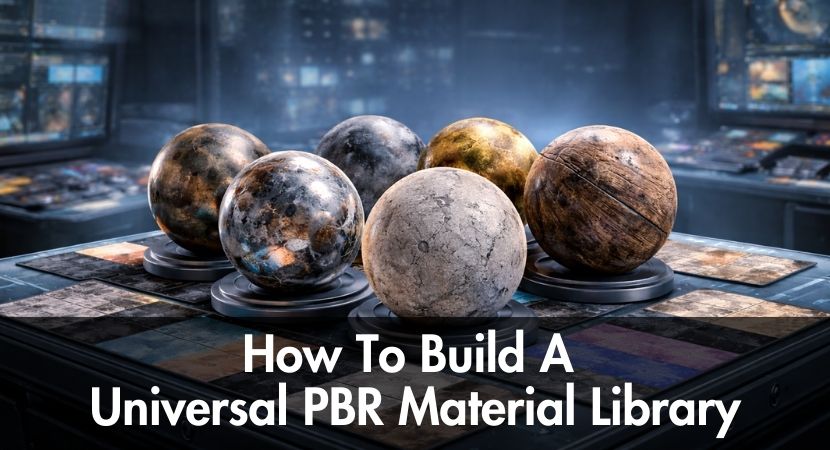
In this article, we explore how to create a universal PBR material library that functions consistently across all major 3D software to reduce unnecessary effort, preserve visual consistency, and future-proof your pipeline!
The moment you realize you have rebuilt the same material again only because the project switched software packages is a frustrating moment that every 3D artist eventually experiences. A concrete wall that appeared flawless in Blender needs to be rebuilt in 3ds Max. IA wood material approved in Cinema 4D behaves differently in Maya. Time, money, and creative energy are silently depleted by these inefficiencies.
What Is A PBR Material Library And Why You Need One?
You need a PBR material library because one of the most prevalent and costly production bottlenecks in contemporary 3D workflows is the manual recreation of materials across platforms. A PBR material library is a centralized collection of physically based rendering materials designed to behave consistently across various software, renderers, and lighting conditions.
Every time a project switches software, materials are rebuilt from scratch in many studios and freelancing workflows. A freelancer may begin a project with Blender, proceed to 3ds Max for production, and then deliver it to a client using Cinema 4D. Subtle variations in roughness response, metallic interpretation, normal strength, or gamma handling are introduced with each transition. Even though each rebuild could only take a few minutes, the cost increases significantly when dozens of assets and changes are added together.
Physically based rendering was developed to address consistency and realism, but its advantages are still dispersed in the absence of a single library. The same asphalt, fabric, or metal can be utilized in several applications without needing to be reinterpreted when the materials are authored with standardized PBR values, calibrated textures, and predictable responses to light. In addition to being essential for realism, this consistency is also necessary for collaboration, as different artists must have faith that materials will behave the same way regardless of the tools they use.
Material generation time reductions of up to 70% are frequently reported by studios that implement a single PBR material library. The savings come from doing away with repetition rather than using shortcuts. Artists spend more time on lighting, composition, and storytelling than on technical upkeep by refining, testing, and reusing rather than recreating.
What PBR materials actually are and why they behave so differently from conventional image-based textures are explained in this video by
Graffinity in a straightforward and useful manner. It goes over each of the fundamental PBR texture maps one by one, describing how they all contribute to realistic light interaction, surface detail, and physical accuracy while also showing how they function together in an actual 3D process.
Choosing The Right PBR File Format For Your Pipeline.
Any cross-platform material library must start with the right PBR file format since it dictates how consistently materials transition between applications.
Modern pipelines are dominated by a number of PBR formats, each with distinct objectives. As an open standard for DCC tool and renderer interoperability, MaterialX is becoming more and more popular. Because of its exceptional ability to describe shader networks in a renderer-agnostic manner, studios operating across several platforms find it appealing. Despite having a wider scope, USD is frequently utilized in large-scale pipelines that need scene assembly and versioning, and provides material definitions in addition to geometry. MDL is highly effective at preserving material authenticity and is strongly integrated into some render engines. It was created with physically realistic shading in mind. Substance processes generate SBSAR files, which offer parametric materials that may be modified non-destructively across compatible programs.
Your software ecosystem will determine which format is most effective. Blender relies on texture-driven workflows for exchange, although it provides good support for node-based PBR materials. 3ds Max supports multiple shading models and benefits from standardized texture inputs when moving between renderers. In larger projects, Maya has a deep integration with USD-based pipelines. Simplified PBR configurations that work well with third-party renderers are advantageous for Cinema 4D.
Tools for PBR conversion are essential for filling up format gaps. These tools normalize values, remap channels, and reinterpret texture mappings. They significantly eliminate manual rebuilding and enable a single source material to move between platforms with little modification, even though no converter is flawless.
Apple offers a unique behind-the-scenes look at how USD and MaterialX are influencing 3D content production. The video explains how these open standards have developed into fundamental technologies for shader portability, asset interchange, and scalable processes in real-time, spatial, and cinematic computing. Additionally, it showcases new developments that make it simpler than ever to transfer scenes and materials between applications, a crucial idea for anyone creating a truly universal PBR material library.
How to Create PBR Materials That Work Everywhere?
To create PBR materials that work everywhere, you must author them using standardized maps, neutral lighting assumptions, and renderer-agnostic values from the very beginning.
Because Substance Designer and Painter enforce PBR correctness at the texture level, many artists begin with these programs. You create a physically realistic foundation that any renderer can understand by creating calibrated albedo, roughness, metallic, normal, and ambient occlusion maps. The secret is to avoid baking renderer-specific techniques, such as baked lighting or increased contrast, into textures.
Simplicity should be the primary consideration when configuring Blender PBR materials for export. Steer clear of bespoke node functionality that cannot be duplicated elsewhere and use a principled shader with direct texture inputs. Make sure that roughness values stay within physically reasonable bounds and that albedo maps are free of illumination information. To prevent unforeseen changes, export textures at constant resolutions and color spaces.
Compatibility in 3ds Max is largely dependent on discipline. Inputs must meet standard PBR requirements, whether native physical materials or renderer-specific shaders are used. Unless properly documented, roughness should remain roughness rather than inverted glossiness. Consistent tangent space conventions should be used in normal maps. By standardizing these inputs, materials remain portable even when shader models differ.
A library's ability to grow or shrink is frequently determined by its folder structure and naming practices. Predictable structure, where textures, previews, and metadata are saved consistently, is advantageous for a universal PBR library. When items are shared within teams or with outside contributors, clear naming guarantees that they will still be comprehensible months or years later.
Common Problems in Cross-Platform PBR Pipeline.
Broken texture paths are among the most common issues in a cross-platform PBR pipeline, particularly when assets are transferred between machines or operating systems. Disciplined version control, centralized asset directories, and relative paths all aid in preventing missing textures and cutting down on troubleshooting time.
Another challenge is the perception that PBR rendering looks different across software. Most of the time, the lighting and color control are the issues rather than the material. Different apps use varying tone mapping, exposure settings, and default gamma curves. The same physically based material may appear washed out in one renderer and excessively contrasty in another if alignment is lacking. Solving this requires standardized color space management, often through linear workflows and consistent view transforms.
Due to their subtle distortion of albedo and roughness values, gamma problems are especially harmful. A little off gamma can flatten material depth or make a matte surface shiny. Establishing clear color space rules and testing materials under some neutral lighting conditions can help us isolate these problems.
Collaboration within a team adds more complexity. Inconsistencies arise when different artists alter materials on their own. Similar to geometry or animation, a shared library needs to be versioned and reviewed as a controlled asset. Without governance, even the best technical setup degrades over time.
Building Your First 10 Universal PBR Materials.
The first step in building a universal PBR library is selecting foundational materials that appear in almost every project. A useful place to start is with neutral concrete, painted metal, natural wood, fabric, glass, plastic, stone, asphalt, ceramic, and brushed metal.
Every piece of content should adhere to the same production process. Start by creating textures using a PBR-compliant tool, making sure that albedo values are light-free and physically realistic. Check that the material reacts consistently under comparable lighting circumstances by importing the textures into several software programs. Only make adjustments when absolutely necessary, and note any peculiarities unique to the renderer.
Many pipelines fail during quality testing. In isolation, materials could appear correct, but in production lighting, they might shatter. Robustness is ensured via testing in various contexts and renderers. Cloud rendering platforms are extremely helpful in this situation. Artists may swiftly check material behavior across various setups without installing several render engines locally, identifying discrepancies before they affect clients.
In order to ensure that a library actually functions universally rather than just theoretically, artists and studios can test materials across renderers effectively by using RebusFarm for this verification stage. This stage creates an asset library that is ready for production from a personal selection of shaders.
Frequently Asked Questions About PBR Materials.
Why PBR is used?
Because PBR offers consistent, physically realistic material behavior under various lighting and renderer situations, it is utilized. Materials react to light according to practical principles rather than artistic conjecture, enhancing realism and consistency.
Can I convert Maya PBR material to other software?
It is possible to convert Maya PBR materials as long as they use standard PBR maps instead of proprietary shader logic. Materials may be transferred with little loss thanks to texture-based processes and conversion tools.
What is the difference between PBR and non-PBR materials?
While non-PBR materials sometimes rely on artist-defined values that fluctuate unpredictably between scenes or renderers, PBR materials adhere to physical principles, guaranteeing a consistent appearance under various illumination conditions.
Do C4D PBR materials work with third-party renderers?
When third-party renderers support standardized texture inputs, Cinema 4D PBR materials can be used with them. The fundamental PBR textures are still reusable, however renderer-specific nodes might need to be modified.
What is the best PBR material format for game engines?
For game engines, texture-based PBR formats remain the most reliable, often combined with standardized material definitions that engines can interpret efficiently in real time.
How does a PBR pipeline improve rendering speed?
By cutting down on trial-and-error and material preparation time, a PBR pipeline indirectly increases speed. Artists spend more time on lighting and composition and less time correcting shaders.
Can I use the same PBR materials for real-time and offline rendering?
Yes, well-authored PBR materials can be used for both real-time and offline rendering, provided textures are calibrated correctly and optimized for performance where necessary.
Thank you for taking the time to read this guide. I hope it helped you see a universal PBR material library not just as a technical thing, but also as a strategic way to work smarter across software, projects, and teams. No matter which tools or pipelines we choose, we’re all driven by the same passion for 3D art, discovering more efficient workflows that allow us to focus on creativity while continuously raising the quality of our craft.
Kind regards & Keep rendering! 🧡

About the author
Vasilis Koutlis, the founder of VWArtclub, was born in Athens in 1979. After studying furniture design and decoration, he started dedicating himself to 3D art in 2002. In 2012, the idea of VWArtclub was born: an active 3D community that has grown over the last 12 years into one of the largest online 3D communities worldwide, with over 160 thousand members. He acquired partners worldwide, and various collaborators trusted him with their ideas as he rewarded them with his consistent state-of-the-art services. Not a moment goes by without him thinking of a beautiful image; thus, he is never concerned with time but only with the design's quality.