7.2 3DアプリケーションのRebusプラグインを手動で再インストールする方法は?

プロセス全体を通して、3Dアプリケーションが閉じていることを確認してください。

RebusDrop設定を開きます(RebusDropアイコン>Preferences...を右クリックします)。
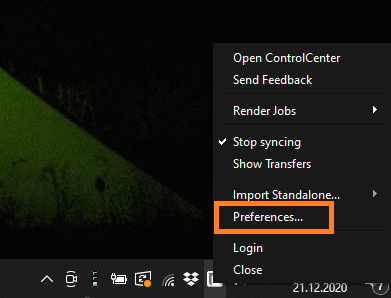
RebusDropパネル - 設定ボタン

'Paths' 下にある 'My 3D Applications' セクションで、オンラインレンダリングに使用する3Dソフトウェアを選択できます。
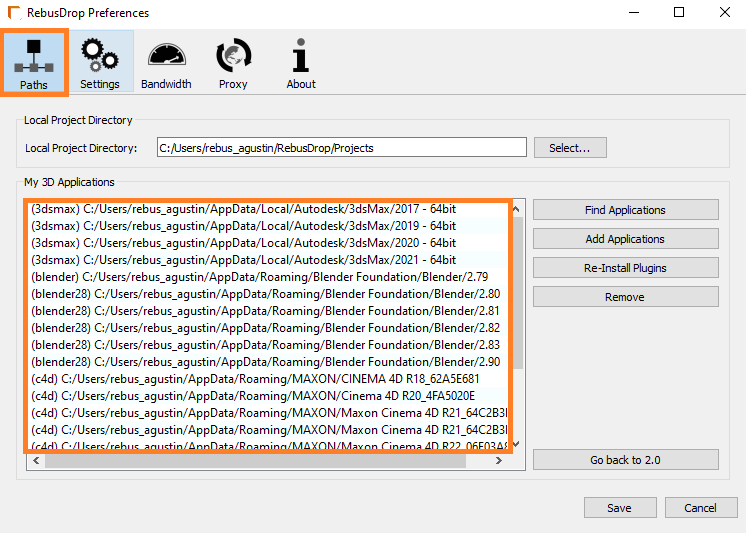
RebusDrop設定ウィンドウ - パス設定

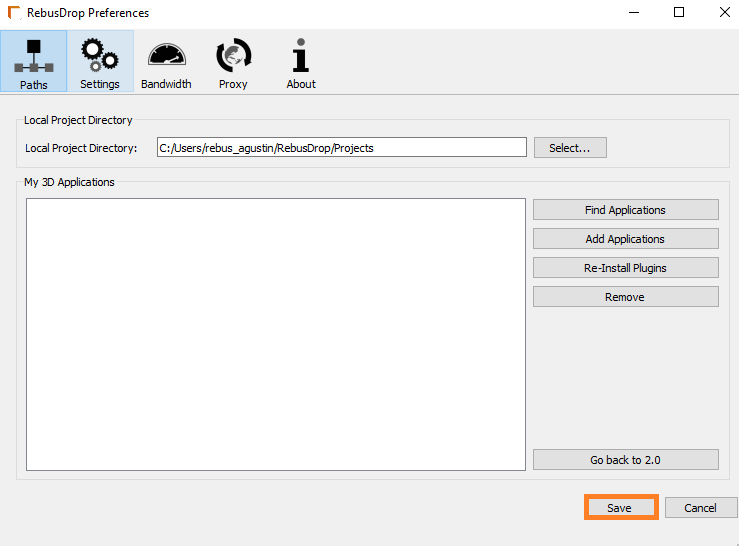
'Remove' をクリックすると、アプリケーションがリストから削除されます。
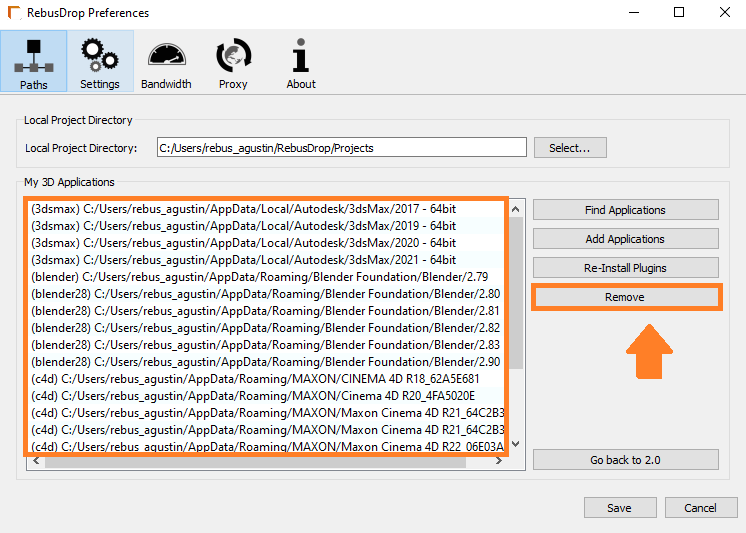
RebusDrop設定ウィンドウ - アプリケーションボタンを削除します

Save'をクリックします。

RebusDrop設定ウィンドウ - 設定の保存ボタン

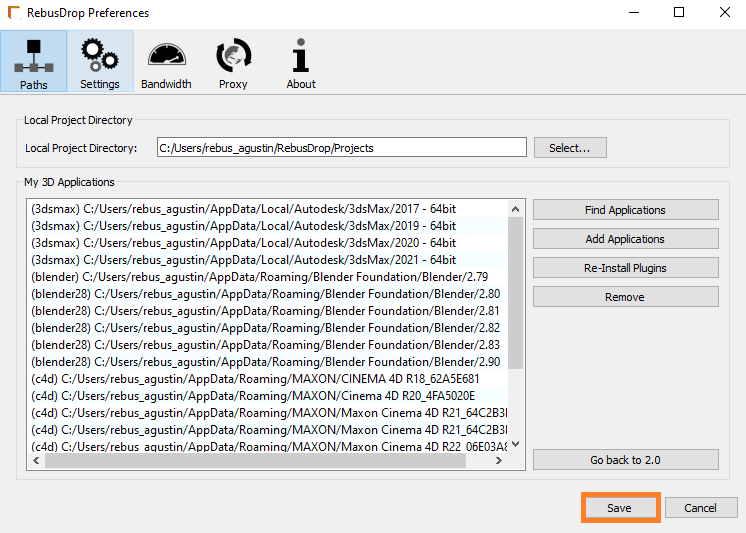
RebusDrop設定を再度開き、'Find Applications'をクリックします。 RebusDropは自動的に3Dアプリケーションを見つけます。
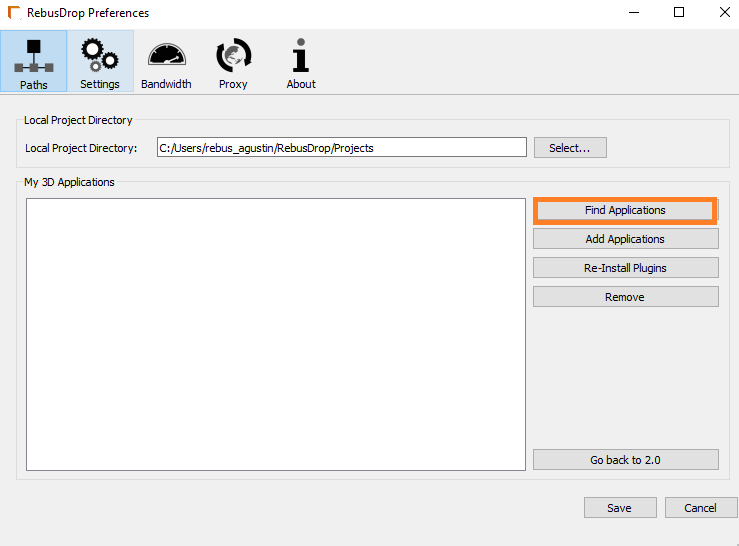
RebusDrop設定ウィンドウ - アプリケーションの検索ボタン

オンラインレンダリングに使用する3Dソフトウェアを選択し 'Re-Install Plugins'をクリックして、プロセスを実行します(この手順には数分かかる場合があります)。
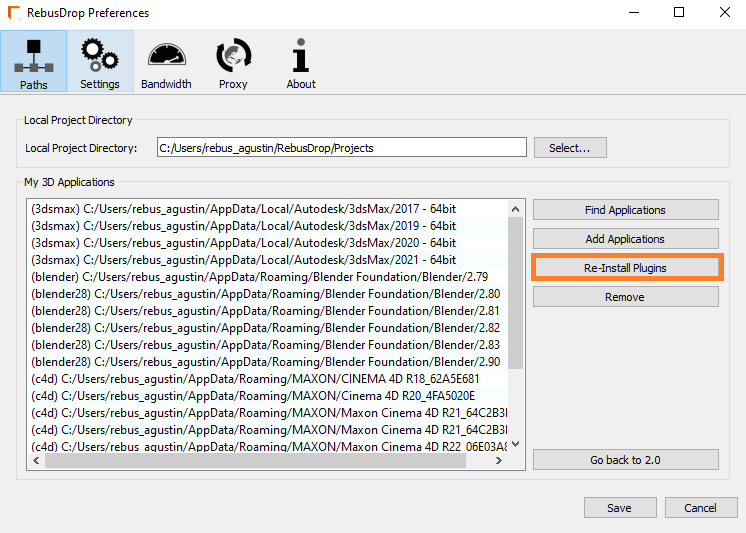
RebusDrop設定ウィンドウ - プラグインの再インストールボタン

Save'をクリックすると完了です。

RebusDrop設定ウィンドウ - 設定の保存ボタン

3Dアプリケーションを実行し、小さなテストジョブをアップロードしてオンラインでレンダリングします。

Secure Render Service

RebusFarm ISO 27001

ISO 27001 CERTIFICATION

RebusFarm is ISO 27001 certified to provide the highest level of data security for your 3D projects.

RebusFarm NDA

NDA (Non-Disclosure Agreement)

Non-disclosure agreements are available whenever your project requires an extra layer of confidentiality and trust.

Secure Render Service

RebusFarm ISO 27001

ISO 27001 CERTIFICATION

RebusFarm is ISO 27001 certified to provide the highest level of data security for your 3D projects.

RebusFarm NDA

NDA (Non-Disclosure Agreement)

Non-disclosure agreements are available whenever your project requires an extra layer of confidentiality and trust.