
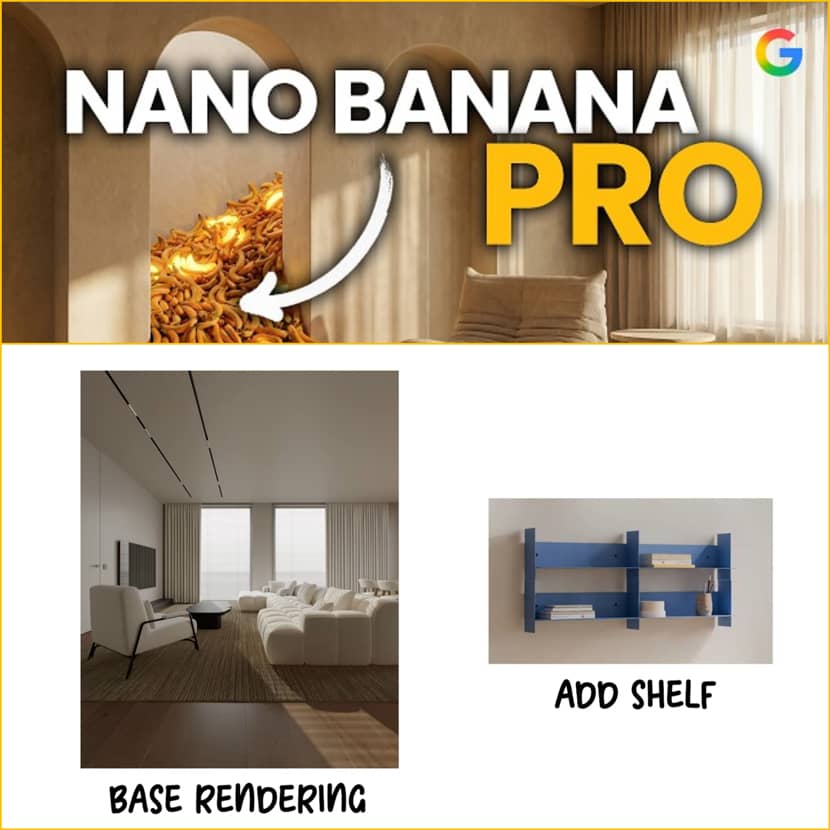
With tools like Google's Nano Banana PRO, tasks that previously required hours of post-production, numerous Photoshop passes, and many test renderings, can now be completed in a matter of seconds. We examine Renderdrop's practical deep dive into how this new model transforms everyday workflows for 3D artists, including 13 real-world ArchViz use cases that can reduce workload, save time, and inspire new possibilities!
Renderdrop emphasizes a crucial point before going into the use cases: "Compared to Gemini's basic interface, Nano Banana PRO via Google AI Studio offers far more customization and quality."
Google AI Studio provides:
- Aspect ratio selection
- Image resolution control (1K, 2K, 4K)
- More predictable behavior
- Better consistency for professional workflows
A Google Cloud project and billing setup are required, but even initial testing usually stays within free-tier limits.
Below is a structured breakdown of all workflow enhancements demonstrated by Renderdrop.
1. Text-to-Image: Instant Concept Generation.
Using some very descriptive prompts, Nano Banana PRO can generate architectural concepts very fast and in different moods, seasons, or even environments which is great for early concept studies and quick client proposals.
An example from the video:
- Winter blue hour → atmospheric, cold lighting
- Dry summer forest → identical building, entirely different mood.
2. Photo Bashing / Style Transfer.
One of the most powerful features is that you can keep your original geometry, but transfer the style, lighting, and mood of any reference photo. This is a huge time-saver for shading, mood boards, and design exploration.
Nano Banana PRO excels at:
- Preserving building structure
- Recreating materials, contrast, and vibe from the reference
- Letting you preview ideas without full rendering setups.
3. Mood Variations on Finished Renders.
If you want to re-explore lighting without using your 3D file then Nano Banana PRO allows you to overwrite a rendering with new:
- Weather conditions
- Times of day
- Color grading atmospheres
Examples include Nordic-noir mornings, dramatic post-storm, high-key winter, autumn sunsets and all of them by keeping the building unchanged!
4. Adding People with Realistic Shadows & Lighting.
Instead of rendering 3D people or manually compositing cutouts, you can can seamlessly insert characters whose shadows match, lighting fits the environment and clothing integrates with the scene. This works well even in challenging scenes with dramatic or directional lighting.
5. Outpainting (Expanding the Canvas).
Perfect for adapting renders to social media formats:
- Convert 16:9 → 9:16 vertical
- Convert vertical → landscape
Nano Banana PRO invents missing areas convincingly, filling the new frame with matching architecture, vegetation, or sky.
6. Inpainting with Reference (Material & Object Replacement).
While sometimes small elements shift (e.g., pathway tiles), results are consistently usable and refined. By providing a reference photo, the AI tool can selectively replace:
- Vegetation
- Objects
- Materials
- Details inside the render.
7. Adding or Swapping Furniture.
Instead of re-rendering a full CGI scene, Nano Banana PRO can replace assets directly inside the rendered image:
- Sofas
- Shelves
- Lamps
- Coffee tables
Even complex materials like glass are handled with realistic lighting interactions. This use case reduces hours of rework when clients request last-minute changes.
8. Material Changes on Walls, Floors & Exteriors.
Using reference textures, the model can accurately apply new:
- Tile patterns
- Stone facades
- Natural stone
- Bathroom materials
- Flooring options
This allows rapid design iterations without going back to your 3D file. Texture scale may require prompt refinement, but results are visually strong.
9. Creating New Camera Angles.
This is experimental but impressive as Nano Banana can rotate the camera, producing alternate points of view of the same building or even interior scene. For small rotations the result is surprisingly consistent, but for large rotations there are hallucinations and architectural drift. Still, the potential is enormous for conceptual previews.
10. Automated Site Plan Creation.
Renderdrop demonstrates how a simple Google Maps screenshot can turn into:
- Stylized 2D site plans
- Orthographic-like views
- Customized graphic styles (via reference images)
This reduces a lot of time on diagram preparation for competitions, presentations, or client brochures.
11. Exploded Axonometrics & Diagrams.
While not perfect for technical accuracy, Nano Banana PRO can generate:
- Conceptual exploded diagrams
- Stylized axonometrics
These are visually appealing and very useful for presentations, even though they are not suitable for construction documentation.
12. AI-Generated Sections.
Sections are well-known for their difficulty, but the tool still produces strong conceptual visuals for moodboards or preliminary storytelling with enough good results.
Limitations:
- Interiors are guessed
- Logic is not architecturally precise
13. Bringing Floor Plans to Life.
Nano Banana PRO can convert CAD plans into:
- Top-down 3D views
- Semi-isometric previews
- Clean stylized plan renderings
Text-based suggestions are very effective, but style-transfer tends to confuse AI (it can't always tell reference from floor plan). Photoshop makes it easy to repair minor mistakes.
Bonus: Nano Banana PRO Now Works Inside Photoshop.
A new Photoshop update introduces a direct integration, allowing in-app prompting. However, resolution controls (1K, 2K, 4K) are missing and AI Studio still provides better quality.
For now, Renderdrop recommends sticking with Google AI Studio for final-grade outputs.
Final Thoughts.
Renderdrop’s deep exploration of Nano Banana PRO makes one thing clear: "AI is no longer just a convenience—it’s a production-ready partner for architectural visualization."
This tool can significantly reduce workload while opening up new creative possibilities, whether you're modifying materials, enlarging canvases, altering moods, or refining design options.
The studios and artists who learn to integrate AI into their pipeline now will be the ones defining the industry’s next decade.
🎥 Watch the full video presentation below:
About Renderdrop.
Renderdrop is a fast-growing YouTube channel dedicated to practical, high-quality tutorials for 3D artists, architectural visualization professionals, and digital creators. The channel focuses on real-world workflows, AI enhancements, rendering techniques, and production-tested tools that help artists work faster, smarter, and with better results.